

Post Content
Every morning, when I go for a walk, I often meet elderly men and women sitting together, chatting. Many of them live alone, as their children have either gone abroad or settled outside Delhi. They don’t know me or my name, but they still try to talk to me and sometimes open their hearts to me.
I can relate to them. They are around my parents’ age, and some of their challenges include not being fully equipped to handle tech-related issues. These can range from being unable to video chat on WhatsApp to navigating apps to dealing with slow phone performance to staying secure enough to avoid digital fraud. Even holding the phone properly can be a challenge. If you are a keen observer like me, or have seen your parents struggle with their phones, you will realise these are common “tech” challenges that elderly people face daily – and we often ignore them. It makes me wonder: does our responsibility end with simply getting our parents a phone?
That’s why I always advise my readers to choose an appropriate phone for their parents, not just any phone. However, many people still end up choosing the wrong device. A long time ago, I made the same mistake when I gave my parents a phone with so much bloatware that, within a week of use, it became slow and left them frustrated.
It was at that moment that I truly realised our parents deserve better products – not something cheap or discounted. When I get a call from the senior members of my family, I understand that they don’t necessarily want a low-cost phone; they want something that serves them well, lasts long, and doesn’t require frequent trips to the service centre for repairs.
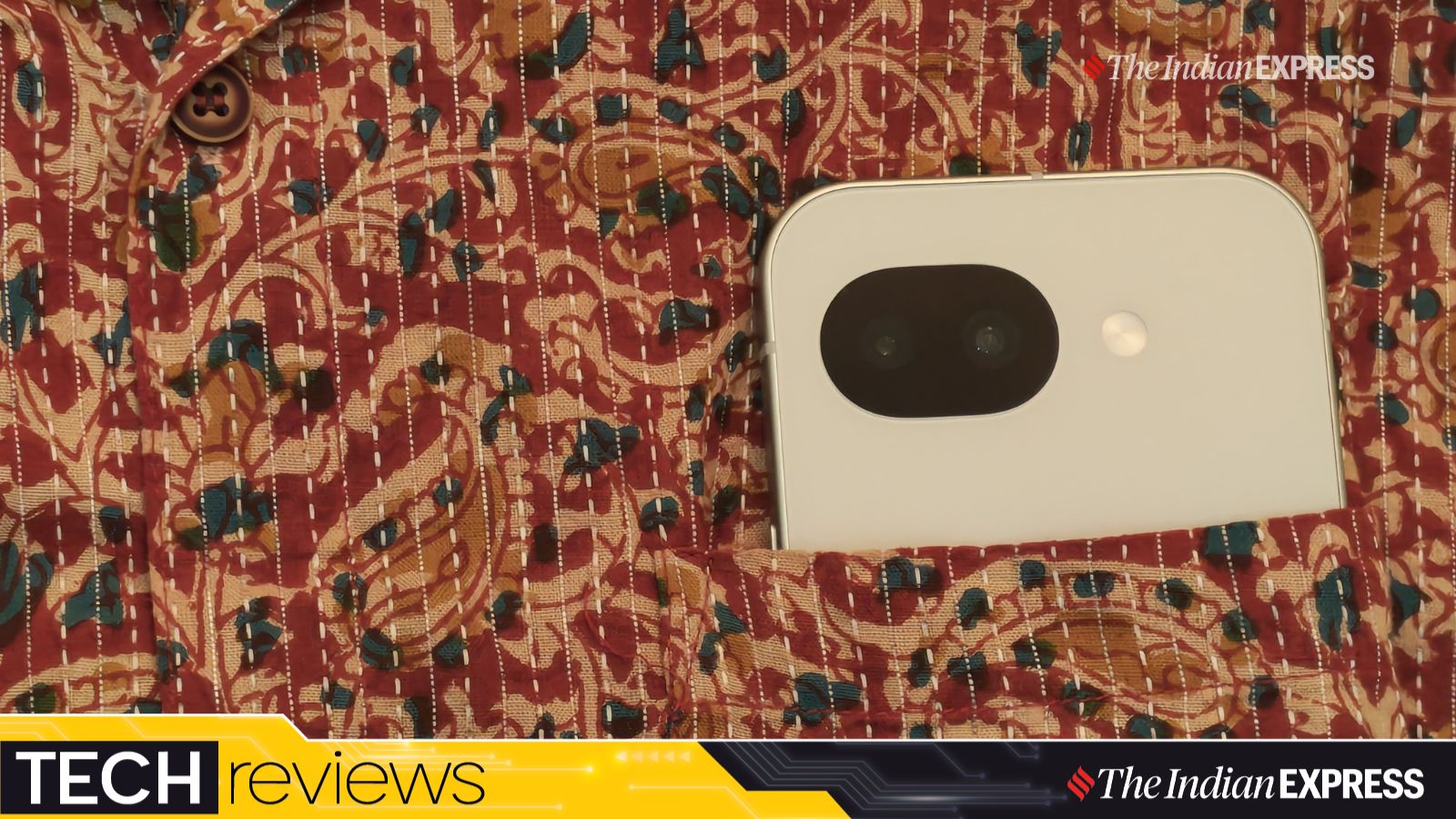
The Pixel 10a is lightweight and easier to hold in one hand, a rarity to find these days. (Image: The Indian Express/Anuj Bhatia)
Maybe the Google Pixel 10a is very close to being the perfect smartphone for seniors. It’s a straightforward device that’s easy to set up, lightweight, free of bloatware, has a serviceable camera for photos and video calls, and offers good battery life. It’s not priced like a flagship, but it’s not exactly low-cost either.
I spent weeks with the Pixel 10a, and here’s why I think Google has made the right phone for seniors, or anyone who wants to use their phone for a long time and isn’t into upgrading their smartphone every year (which, to me, is nothing more than a marketing gimmick).
What: Google Pixel 10a | Price: Rs 49,999
Compact…if you love the small phone form factors
Each time I held the Pixel 10a, I was surprised by how comfortable it felt to use. It easily slips into a pocket, a shoulder bag, or even a ladies’ purse. This makes it convenient in almost any situation whether you are holding it while walking in a park, scrolling through social media, or quickly checking WhatsApp.
Story continues below this ad
Also Read | Google Pixel 10 Pro XL review: A step forward in making software (and not hardware) the star of the show
It’s a compact phone by today’s standards, although the 6.3-inch screen isn’t small. Personally, I prefer phones with a display size in the 6.1 to 6.3-inch range, as that makes the overall form factor more comfortable and easier to handle.
The design of the Pixel 10a is simple and easy on the eyes, especially in the white colour I have for review. The phone has a flat metal frame, which gives the device good rigidity. The buttons, positioned on the right edge of the frame, are large, flat, and sturdy. On the opposite side is the SIM card slot. The bottom is much cleaner, with cut-outs housing the speaker and microphone.
The phone is rated IP68 rated for water and dust exposure. (Image: TheIndian Express/Anuj Bhatia)
I reviewed last year’s Pixel 9a, and the Pixel 10a’s basic design language hasn’t changed much. The only change I noticed is that the camera bump has been reduced to almost completely flush with the back of the phone. Unlike many phones I have reviewed recently, the Pixel 10a can actually be laid flat on a table and isn’t prone to wobbling.
The last well-made compact phone I used was the iPhone 13 mini. Although Apple still supports smaller phones with the iPhone 17e, it is mainly for those who live in the Apple ecosystem. Honestly, in today’s market, very few brands still believe in small phones, and the Pixel 10a is one of them.
Story continues below this ad
The best display on a small phone
The 6.3-inch pOLED screen feels just right for daily use. I observe many senior citizens watching bhajans on YouTube, listening to Gurbani paath on their phones, and some even playing Candy Crush. The peak brightness has been increased to 3,000 nits (from 2,700), which is great for outdoor use. It also features a super-smooth 120Hz refresh rate that makes everything look fluid, especially when scrolling Facebook (in case you still use the service in 2026) and Instagram.
At 6.3 inches, the OLED screen is quite bright and colorful. (Image: The Indian Express/Anuj Bhatia)
The iPhone 17e’s 60Hz display feels sluggish by comparison. Complementing the display is the dual-speaker system, which delivers more balanced sound. They aren’t super loud, but they are good enough for watching YouTube videos if you don’t like using earphones.
A stellar performer, but far from a performance powerhouse
There is no trade-off in terms of speed. The Tensor G4 (developed by Google) is excellent. The phone feels very fast and responsive for everyday tasks, and you can multitask and run all your apps without any issues. However, let me clarify that while the Tensor G4 is a fast processor, it isn’t designed for gaming at the highest graphical settings.
It also comes with a decent 256GB of storage as standard, which should be enough for most users, along with additional cloud backup. The 8GB of RAM is good enough for everyday use, but don’t expect it to be the most powerful smartphone on the market, because it’s not.
Story continues below this ad
Not as bad as I feared initially. In fact, I was surprised by the battery life on a compact phone. In my two weeks of testing, the 5,100mAh battery lasted all day (I call myself a heavy user, but I think the Pixel 10a can last almost two days between charges). It’s good to see compact phones finally getting long battery life, unlike before. Google also upgraded wired charging from 23W on the 9a to 30W on the 10a. Wireless charging has increased from 7.5W to 10W with a compatible Qi charger. I assure you, you don’t need to carry a power bank on an overnight train journey.
The Pixel 10a runs Android 16 out of the box. (Image: Anuj Bhatia/The Indian Express)
No bloatware, accessibility mode, and lots of AI (in case you care)
I like Pixel phones for their clean and easy-to-use user interface. There are no third-party apps (in tech-speak, this is called bloatware) preinstalled on the Pixel 10a that you don’t need. Bloatware can unnecessarily slow the phone over time, and some preinstalled apps may be intrusive or unsafe, leading to a poor user experience. Think of ads, free-to-play games, and sports apps that come preinstalled when you buy a phone. In fact, users often can’t delete these apps, and they remain on the phone, slowing down the device. Just imagine how nearly impossible it is for elderly users to figure this out.
Another great thing about Pixel phones, in general, is how easy they are to use for the elderly. It just takes a few taps. You can change the display size and text in quick settings, adjust the colour contrast to make on-screen elements easier to distinguish, and switch the navigation mode to use the traditional three-button layout on Android instead of gesture-based navigation.
Goodbye, think heavy phones. (Image: The Indian Express/Anuj Bhatia)
Then there is the Accessibility menu in settings, which includes features such as TalkBack (for reading out text on the screen), Magnification (for zooming in on specific areas of the display), Hearing devices (for connecting hearing aids), and Live Caption mode. I found the Simple View a lot more useful. When you enable this feature via the toggle switch, the Pixel software adopts a simpler layout, with larger text and icons, simplified navigation, and improved touchscreen sensitivity.
Story continues below this ad
The Pixel 10a also comes with several AI features, but it misses a full-fledged Google’s full flagship suite. Features like Pixel Screenshots and Pixel Studio are reserved for premium models with more powerful Gemini Nano capabilities. However, the Pixel 10a still offers useful features like spam protection, Gemini integrations, and Call Screen.
Also Read | Google Pixel 10 has a lot of AI, but I need more AI, and without me asking for it
The Pixel 10a is guaranteed 7 years of updates, including regular security patches and major OS updates, meaning it should stay up to date through 2033. Google also delivers new features through quarterly Pixel Drops, though not every Pixel device receives them. The long-term support that Google promises simply means users don’t have to upgrade to a new phone every two to three years. The Pixel 10a, although not a high-end smartphone, will last for years and receive new software features and security updates.
Basic camera that does the job
The Pixel 10a sports a 48-megapixel primary wide-angle camera, paired with a 13-megapixel ultrawide. There is no telephoto lens on the back, and the front-facing selfie shooter is also 13 megapixels. Photos taken with the camera system are sharp and bright, and I noticed that Google’s image processing enhances the shots I took and corrects some areas that the hardware alone can’t fully handle.
While I didn’t have any trouble, there are noticeable camera limitations with the Pixel 10a, and I noticed them straight away. Not because I have only been reviewing high-end camera phones lately, but because the differences between the Pixel 10 Pro XL and Pixel 10a are clearly visible. On its own, the Pixel 10a isn’t a bad camera phone, but don’t expect rich, finely detailed photos.
Story continues below this ad
All camera samples (below) are straight out of the Pixel 10a but have been resized for the web.
Pixel 10a camera sample. Image: The Indian Express/Anuj Bhatia)Pixel 10a camera sample. Image: The Indian Express/Anuj Bhatia)Pixel 10a camera sample. Image: The Indian Express/Anuj Bhatia)
So, should you buy the Google Pixel 10a?
One of the questions you need to ask when getting a phone for your parents (if you live abroad and are not physically present), or even when elderly members of your household ask for your advice on choosing a phone, is this: don’t just pick any phone. You may choose a Pixel 10a or any other smartphone. Remember that a smartphone is all about connection- and for elderly users, the right phone is important because it is their window to stay connected with you. How they feel, their experience, and whether they feel safe using a phone shouldn’t be ignored.
Yes, if…
You want a slim and compact smartphone that fits in your pocket.
You like bloatfree experience and easy to use interface.
You live in the Google ecosystem and don’t have a desire for FaceTime, ever.
You desire a phone that lasts all day.
No, if…
Story continues below this ad
You are a power user who wants the best camera and performance.
You want a big-screen smartphone experience.
