

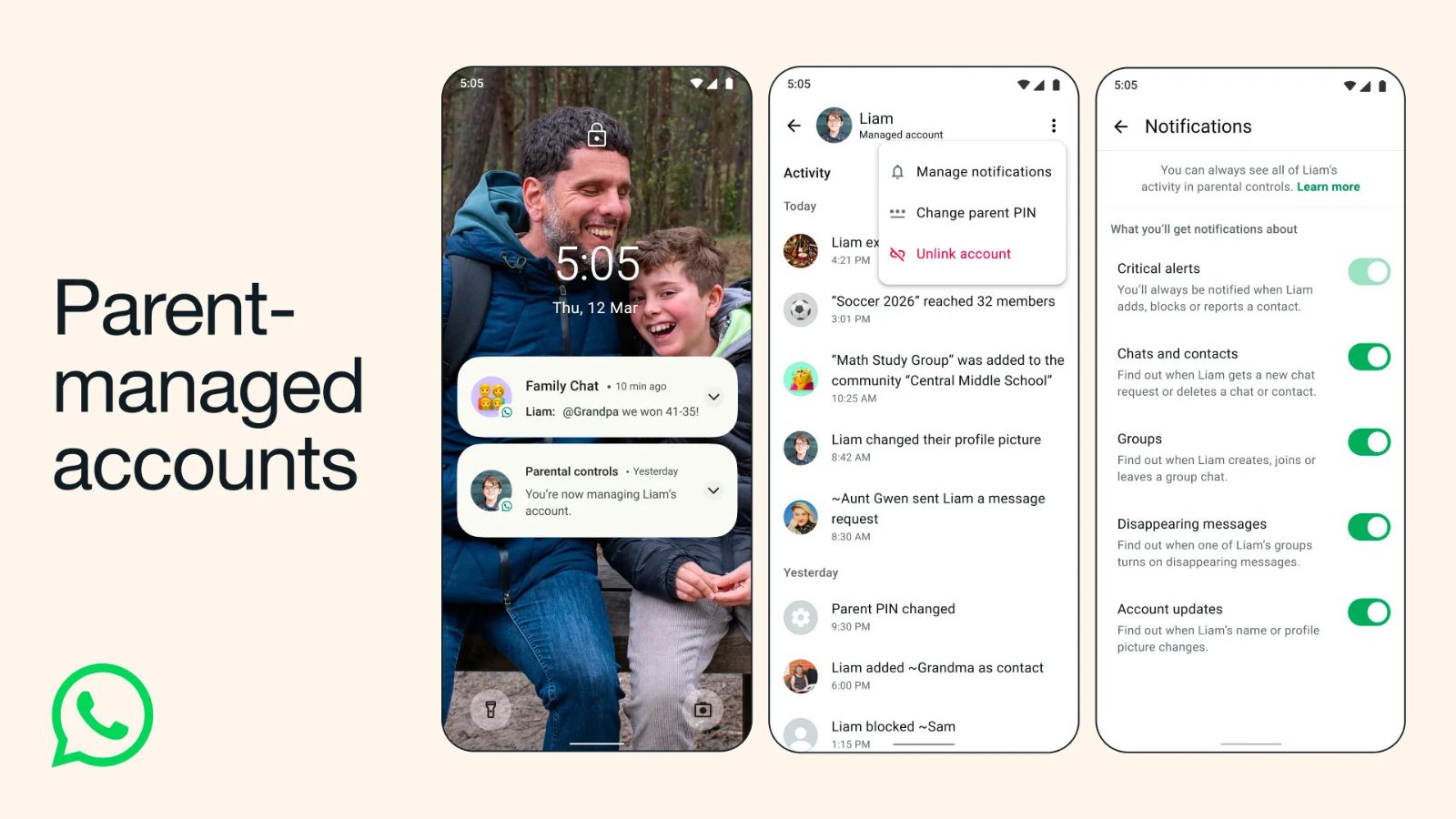
Post ContentHere’s how you can link your child’s WhatsApp account from your phone. (Image: WhatsApp)
Meta-owned WhatsApp on Tuesday, March 11, announced new parent-managed accounts for under-13 users. The new feature gives parents or guardians of pre-teen users full control over who can contact them on WhatsApp and which groups they are allowed to join.
The latest parental controls are designed to limit the WhatsApp experience of under-13 users to messaging and calling, the company said in a blog post. After setting up a new parent-managed account, the parent or guardian will be able to decide who can contact the account and which groups they can join. Additionally, they will be able to review message requests from unknown contacts and manage the account’s privacy settings.
The under-13 users will not be able to access and change privacy settings. Furthermore, these new parental controls and settings can only be accessed after entering a PIN on the managed device.
WhatsApp said that parent-managed accounts will be rolled out to all users gradually. In order to set up these accounts, the user has to be under 13 years of age or the minimum age required in their country to use the platform. Meanwhile, the parent or guardian has to be older than 18. Parent-managed accounts will be rolled out on devices that have the latest version of WhatsApp for iPhone or Android.
Also Read | ‘More harm than good’: Why hundreds of researchers want a pause on online age verification
The announcement by WhatsApp comes as governments around the world move to ban or restrict children’s access to social media in response to growing concerns over social media addiction and online safety of minors.
Earlier this month, Karnataka became the first Indian state government to ban social media use by children under 16 in its latest Budget. Andhra Pradesh has also proposed banning social media for children below 13 years within the next 90 days. However, technical details about how such bans would be implemented remain unclear.
Meanwhile, The Indian Express reported that the central government is considering a more nuanced and graded approach in specifying restrictions for social media access of under-18 children instead of a total ban. In a somewhat similar stance, Meta has warned that blanket bans could have unintended consequences and advocated for parental oversight as a more effective approach to managing teenagers’ digital activity.
Story continues below this ad
In February 2025, Meta rolled out Instagram Teen Accounts in India with a similar approach focused on enhanced privacy and parental controls. Accounts created by any Instagram user between the ages of 13 and 18 are categorised as Teen Accounts and their profiles are private by default. These accounts come with several features designed to make the user experience on Instagram safer, with the protections extended to Meta’s other platforms such as Threads, Facebook, and Messenger as well.
First, parents need to place the phone to be used by the under-13 user and their own device side-by-side in order to link their WhatsApp accounts. To download WhatsApp on your child’s phone, follow these steps:
-Download WhatsApp Messenger in the Google Play Store or Apple App Store on your child’s device.-Choose your language and tap Agree and continue.-Tap More options and select Create a parent-managed account.-Register and verify your child’s phone number.-Enter your child’s birthday and confirm their age.-Tap Continue to link to a parent’s account.
Also Read | Did Meta shelve teen safety features to protect growth? What new court filing claims
Here’s how you can link your child’s account from your phone:
Story continues below this ad
-Scan the QR code displayed on your child’s device with your phone’s camera and tap the link to be taken to WhatsApp.-Tap Agree and continue.-Verify you’re an adult.-Create a 6-digit parent PIN. (The PIN should not be shared with your child, as per WhatsApp)-Confirm your parent PIN > Next.-Tap Done and finish account setup on your child’s device.
The last steps of account setup include entering your parent PIN and selecting Continue. Once this is done, your child can enter their name and upload a profile photo for their managed account.
